- calendar_today August 26, 2025
Google has commenced the official distribution of Android 16 after a lengthy period of speculation followed by developer previews and limited beta testing. The rollout of the update begins with Pixel devices while other Android phones will receive it in the upcoming weeks and likely extend into months.
The over-the-air (OTA) update should now be available to Pixel users. Google provides system images and manual update files through its developer site for users who don’t want to wait. There is no need to hurry unless you have a strong desire to upgrade now. This update contains few major modifications which will appear immediately.
Android 16 went into the market quietly yet brings several noteworthy features and hints at bigger upgrades later this year.
Notification Shade, Live Updates, and Security Enhancements
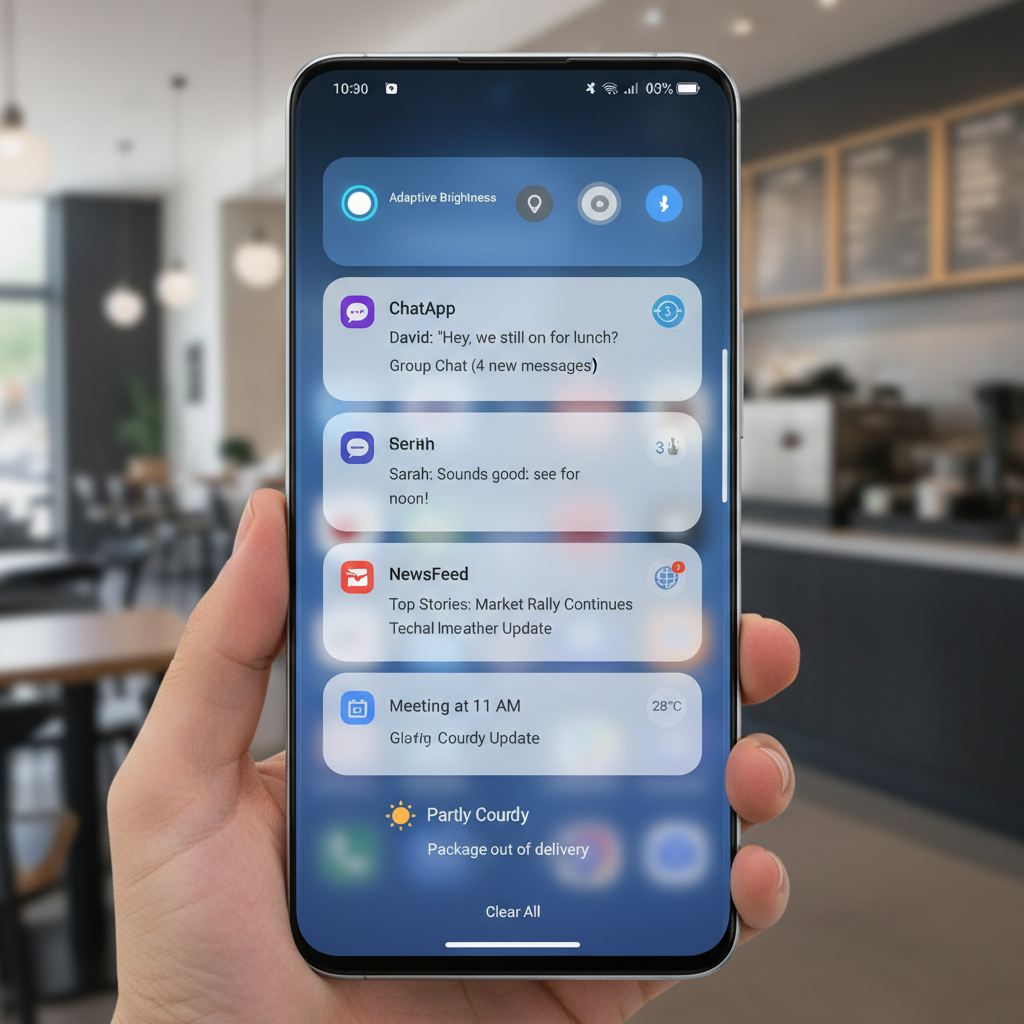
The notification shade stands out as one of the main areas where users will see noticeable changes. Android 7.0 Nougat was the first version to include bundled notifications as a feature from Google. Android 16 requires notification bundling as it removes the previous optional setting. Android 16 now requires notifications from the same app to be combined into one expandable card which helps keep your screen uncluttered. The update is minor yet appreciated.
Another addition is live update notifications. The feature launches through selected rideshare and delivery apps which enable users to check real-time updates via status bar icons. A compact window with a live progress bar appears when users tap the notifications. Google collaborates with Samsung and OnePlus to implement the live update notifications into the Now Bar and Live Alerts.
Security also gets a boost. Android 16 activates Advanced Protection across all devices operating its OS. After activation your phone won’t connect to legacy 2G networks and blocks sites that don’t use secure connections while preventing USB data transfer access. Google demonstrates its expanding commitment to safeguarding both user privacy and device protection through these measures.
The new generative AI-powered emoji feature offers customization enthusiasts a fun experience. The Pixel Studio app enables users to design their own emojis using Emoji Kitchen. This feature serves as a playful addition which demonstrates Google’s increasing focus on generative AI capabilities.
Android 16 introduces important developer-focused updates behind its user interface. One key improvement is automatic large-screen support. Applications designed for Android 16 (API level 36) now automatically adjust their display to fill foldables and tablets more efficiently. App developers who consider these devices while building their applications will create better-looking apps for larger displays due to this change.
The system incorporates camera enhancements as standard features. Android 16 brings hybrid auto-exposure capabilities along with motion photos and night mode detection to its feature list. Users can now take HDR screenshots but app support will be inconsistent. Google continues to strengthen background process regulations which might impact particular apps yet aims to deliver enhanced battery performance across devices.
Pixel Drop Features: VIPs and More
Google launches a new Pixel Drop to coincide with the release of Android 16. While the feature set is not extensive it includes several exclusive options only available to Pixel devices. The most noteworthy feature among them is Pixel VIPs. The new Pixel VIPs feature builds upon the existing “favorite contacts” functionality. The dedicated widget now displays updates from WhatsApp and Messages alongside shared location data and birthdays for selected VIP contacts. Pixel VIP contacts possess the ability to access your phone even when Do Not Disturb mode is enabled.
The magnifier app now includes live search functionality as well as broader hearing aid support. Expressive Captions that were once only available in the U.S. have expanded to the UK, Canada, and Australia.
Only Pixel phones support these features which demand Android 16 to operate.
The Android 16 update will not see all its new features available on launch day. Google plans to release its most anticipated changes for the remainder of 2025.
Take Material 3 Expressive, for instance. The newly revealed design language which Google teased last month will launch later this year. Google has not established a specific release timeline but has advised developers to start preparing their apps immediately. Users can expect to see a more vivid and dynamic interface through the new Android design.
Android now features its highly anticipated desktop mode. Samsung partnered with the creators of this system which expands upon their existing DeX technology. Tablets and later phones will be able to display a desktop-like interface with multiple windows through external displays using this mode. The Pixel 9 Pro Fold foldable phone supports windowing only on external displays without on-device capabilities.
OEM support is not guaranteed. Full windowing support will be available on Google Pixel devices while screen mirroring will be optional for other Android 16 devices based on manufacturer choices.
The most critical adjustment in Android 16 centers on release timing rather than new features. During previous years Android updates occurred in the fall which coincided with the launch of new Pixel hardware. That’s no longer the case. Google has established its schedule to deliver substantial Android updates in late spring and then follow them with API-focused minor releases toward year’s end.
The new system aims to establish a more adaptable schedule for software releases. The launch of Android 16 marks the initial implementation of Google’s revised release calendar and although it may not generate the usual buzz, it establishes the groundwork for future developments.
The Android 16 release may appear as a gradual development because future updates will deliver desktop mode capabilities along with a redesigned system and enhanced AI features by the end of 2025. This update merits close observation.